What is easyconfig?
easyconfig is a modern Docker-based server control panel that helps you deploy, manage, monitor, and organize applications on your own VPS or dedicated server.
It is designed for developers, agencies, SaaS founders, freelancers, and server owners who want a clean web interface for managing Docker services without manually typing every Docker command.
What problem does easyconfig solve?
When you deploy applications manually, you usually need to handle Docker containers, environment variables, ports, reverse proxy rules, SSL certificates, logs, domains, databases, and backups separately.
easyconfig brings these common tasks into one organized panel, so you can manage your server applications in a cleaner and more beginner-friendly way.
What can you manage with easyconfig?
- Projects for grouping related services.
- Docker-based applications and services.
- Templates such as WordPress, n8n, Directus, Redis, MySQL, PostgreSQL, and more.
- Domains connected to services.
- SSL-ready routing workflows.
- Service logs, status, and monitoring information.
- Users, settings, notification channels, certificates, snapshots, and advanced configuration.
Who should use easyconfig?
easyconfig is suitable for users who want to self-host applications on their own server but prefer a friendly control panel instead of fully manual command-line management.
Commands
The panel handles most actions visually, but these commands help beginners understand what a server operator usually checks while working with Docker-based deployments.
docker --version
docker compose version
docker ps
docker logs --tail=100 container_name
df -h
free -m
Summary
| Area | What to check | Expected result |
|---|---|---|
| Server | CPU, RAM, disk, firewall, Docker | The server has enough resources and Docker is available. |
| Application | Image, tag, port, variables, storage | The service can start and keep data after restart. |
| Network | DNS, proxy route, SSL, browser response | The app is reachable from the correct domain. |
| Security | Roles, secrets, audit logs, backups | The setup is safe enough for continued operation. |
Screenshots
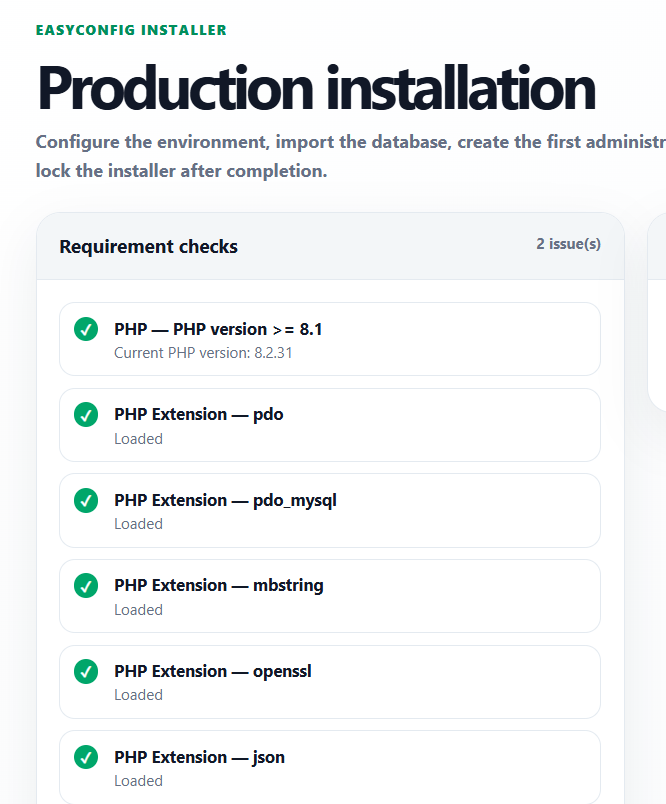
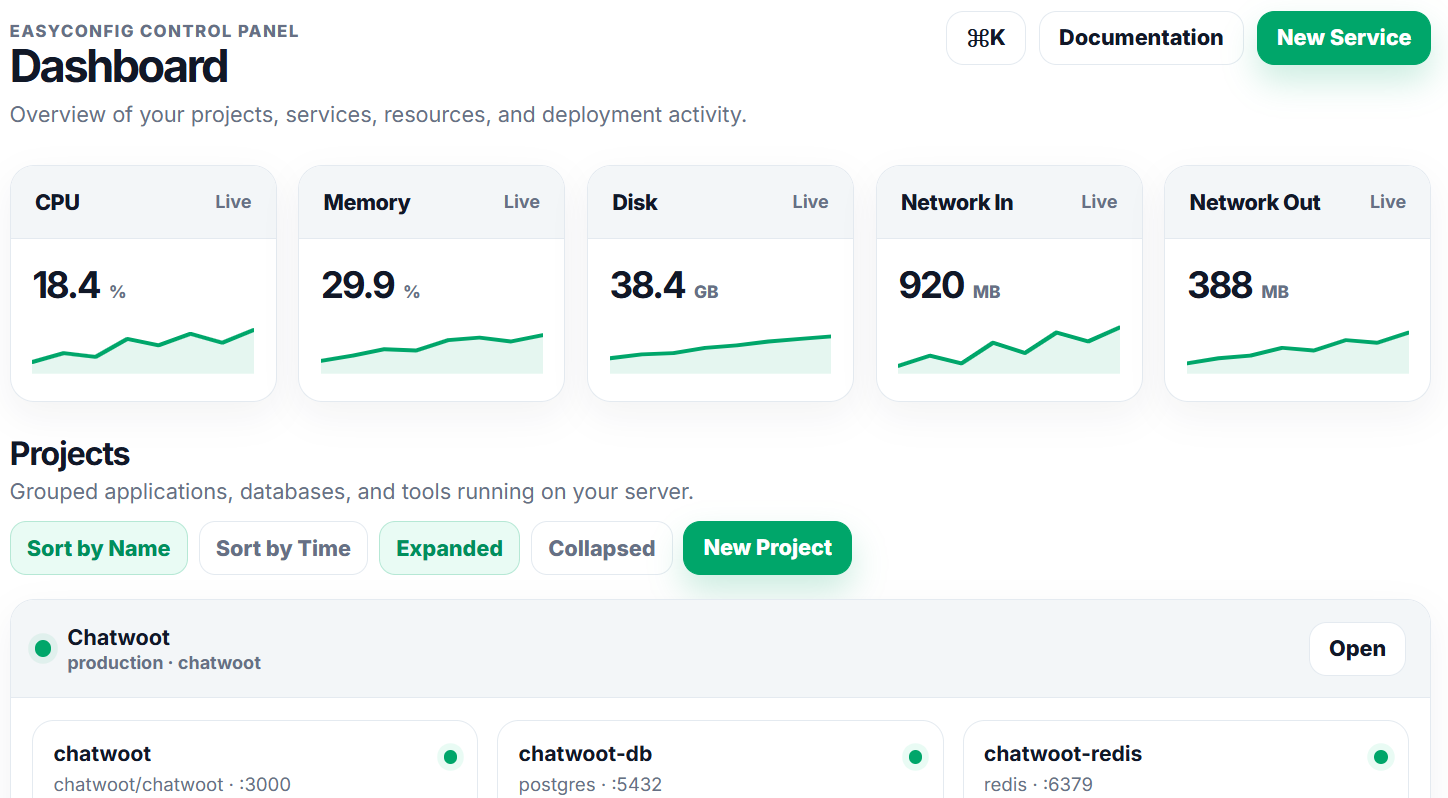
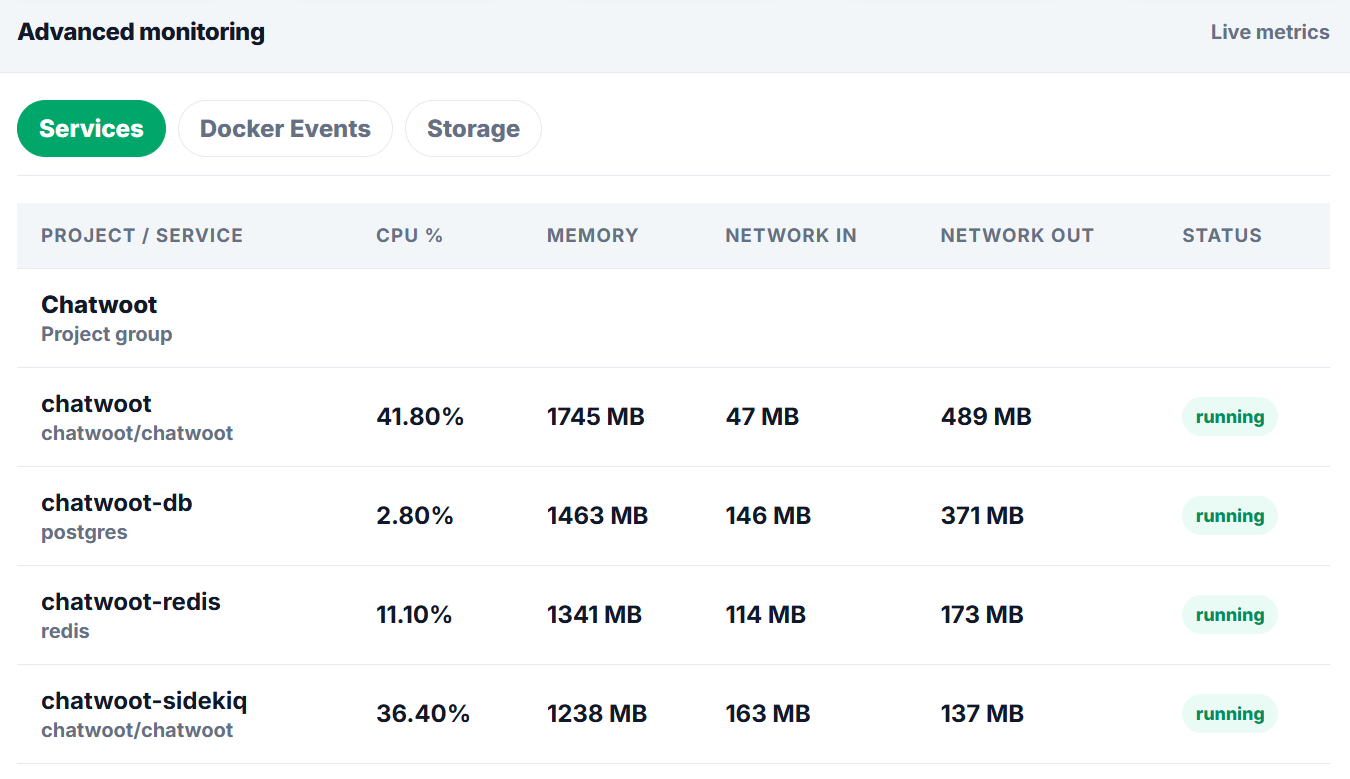
Upload screenshots to the paths below when you want the documentation to show real easyconfig interface examples.
Next
- Apply the guide in a test project first.
- Check logs after every deployment or configuration change.
- Document custom values for future handoff.
- Review related documentation when domains, SSL, databases, or billing are involved.